A software tutorial video brief template helps a product team define what the video needs to teach before production starts. It is different from the script. The brief captures the viewer, workflow, product access, demo data, screen capture requirements, reviewers, and final delivery needs. The script turns that plan into narration and visuals.
Use this template when planning software tutorial videos, SaaS onboarding videos, customer training videos, help-center clips, or feature walkthroughs. If you are ready to write narration and scene-by-scene notes, use the related software tutorial video script template.
Software Tutorial Video Brief Template
Copy these sections into a project document and answer only what matters for the specific video. A focused one-page brief is more useful than a long document nobody uses.
| Section | Prompt | Why it matters |
|---|---|---|
| Viewer | Who needs this tutorial? | Role, experience level, and product familiarity affect pacing and terminology. |
| Viewer job | What should the viewer be able to do after watching? | The best tutorials teach one practical job, not every feature nearby. |
| Starting point | Where does the viewer begin? | Account state, permissions, sample data, and setup assumptions prevent confusion. |
| Workflow | What is the shortest reliable path? | The brief should separate essential steps from optional branches. |
| Demo access | What account, data, and environment will be used? | Clean demo data makes the video easier to capture, edit, approve, and update. |
| Screen capture | What needs to be shown clearly? | Window size, zoom, cursor movement, sensitive fields, and final confirmation should be planned. |
| Voiceover | What should the narration explain? | Voiceover should explain purpose and decisions, not narrate every click. |
| Reviewers | Who checks accuracy and who gives final approval? | Product, support, customer success, compliance, and marketing may care about different details. |
| Deliverables | Where will the video live? | YouTube, help centers, sales follow-up, onboarding emails, LMS pages, and localization can need different files. |

Start With the Viewer
A software tutorial should be shaped around the person watching it. A new customer, internal admin, customer-success manager, developer, or sales prospect may all need a different version of the same workflow.
The brief should answer three questions in plain language:
- What does the viewer already know?
- What are they trying to accomplish?
- What will make them confident that the task is complete?
Define the Workflow Boundary
The most common brief problem is trying to cover too much. If the video includes setup, permissions, daily use, troubleshooting, and reporting, it may need a small series instead of one long tutorial.
A good brief names what is in the video and what is intentionally out. That keeps production focused and makes review easier.
| Good brief language | Too broad |
|---|---|
| Show an admin how to invite a new team member and assign a role. | Explain user management. |
| Teach a new customer how to create and save their first report. | Walk through the analytics dashboard. |
| Show a sales-qualified prospect how the approval workflow works. | Give a product tour. |
Prepare Demo Access and Data
Screen capture goes faster when the demo environment is ready before recording. The brief should name the demo account, permissions, sample data, browser or app version, and anything that should not appear on screen.
- Use realistic names, records, dates, messages, and file titles.
- Remove private customer data, internal notes, browser history, and notifications.
- Confirm that the feature flag, user role, subscription tier, and sample workflow match the script.
- Reset the start state before every take so the tutorial stays consistent.
Screen Capture and Voiceover Notes
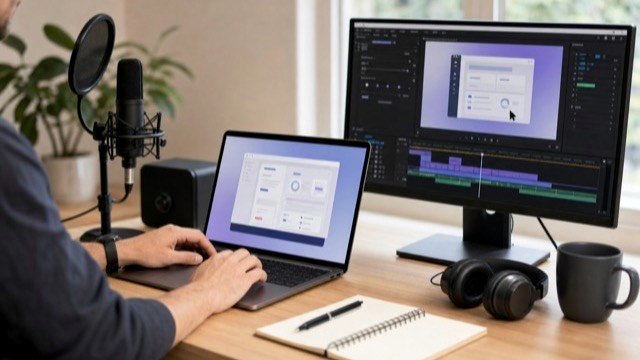
The brief does not need to solve every edit. It should give production enough direction to capture the product cleanly and explain the workflow accurately.
- Screen format: browser, desktop app, mobile app, or mixed capture.
- Playback size: help center, YouTube, embedded product page, sales deck, LMS, or mobile viewing.
- Visual emphasis: cursor, zooms, callouts, highlights, blurred fields, or before-and-after states.
- Voiceover: tone, pronunciation, required terms, phrases to avoid, and whether the video should work with captions muted.
- Captions: whether captions are needed only in English or should support translated SRT files later.
Review and Approval Plan
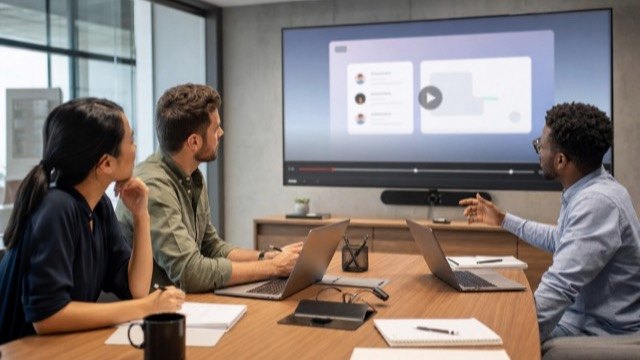
A clear review plan keeps the video from becoming a long comment thread. The brief should say who reviews the workflow, who reviews the language, who checks brand or compliance concerns, and who has final approval.
When several teams are involved, split review into checkpoints:
- Outline review: confirm viewer, workflow, and scope.
- Script or narration review: check terminology and explanation.
- Rough cut review: check screen accuracy, pacing, and clarity.
- Final review: check captions, exports, thumbnail frame, and delivery requirements.
Final Deliverables
The same tutorial can support more than one channel, but those needs should be known early. A help-center embed, YouTube upload, onboarding email, sales follow-up clip, and training library may need different aspect ratios, thumbnails, captions, or file names.
- Full horizontal tutorial.
- Short cutdown for sales, email, or release notes.
- Thumbnail frame or still image.
- Transcript and SRT captions.
- Help-center or LMS embed version.
- Localized captions, voiceover, or dubbed versions when needed.
Examples
These HiLo Media projects show how the brief changes based on the product and viewer:
- TreatAnyone Software Tutorial and Onboarding Video shows how onboarding content can introduce a product workflow clearly.
- CoStar Consolidated Listings Software Tutorial Video is a B2B software example where the workflow needs to stay practical and easy to follow.
- Banktivity 6 Tags Screencast Tutorial Video shows a focused tutorial built around one feature and one user task.
Related Planning Guides
After the brief is approved, the next step is usually the software tutorial video script template. For broader planning, compare the brief with the SaaS onboarding video guide, software tutorial video examples, software tutorial video production checklist, software tutorial video cost guide, and the guide to choosing a software tutorial video agency.
If the same tutorial needs captions, translated SRT files, localized voiceover, or translated talking-head content, plan that before final export. The video localization guide explains the practical versioning path.
Software Tutorial Brief FAQ
What is a software tutorial video brief?
A software tutorial video brief is a planning document that defines the viewer, workflow, demo environment, screen capture requirements, review path, and final deliverables before production starts.
How is a video brief different from a script?
The brief defines the production plan. The script turns that plan into narration, screen notes, callouts, and scene-by-scene direction.
What should a software team prepare before recording?
Prepare demo access, realistic sample data, workflow notes, reviewer names, brand assets, pronunciation notes, privacy restrictions, and final delivery requirements.
Who should review a software tutorial video?
Most software tutorials should be reviewed by the product owner, a support or customer-success reviewer, and one final approver. Regulated or sensitive products may need legal, compliance, or security review as well.
Can one brief cover a series of tutorials?
Yes, but the brief should still break the series into separate viewer jobs, workflows, starting points, and success states so each video stays focused.