A software tutorial video production checklist keeps the project practical from the first planning call through final delivery. It helps the team confirm the viewer, workflow, demo data, screen capture plan, narration, review path, captions, and export requirements before production gets expensive to unwind.
Use this checklist for software tutorial videos, SaaS onboarding videos, customer training videos, software walkthrough videos, and help-center clips. If the project still needs a brief, start with the software tutorial video brief template. If the workflow is already approved, move into the software tutorial video script template.
Software Tutorial Video Production Checklist
Copy this checklist into the production notes and trim anything that does not apply. The goal is not more paperwork. The goal is fewer avoidable revisions.
| Production stage | Checklist items | Why it matters |
|---|---|---|
| Goal and viewer | Name the viewer, their role, and the task they should finish. | The video should teach one useful workflow, not drift into a product tour. |
| Scope | List what is included and what is intentionally left out. | Clear boundaries keep the script, capture, and review focused. |
| Demo environment | Confirm account access, permissions, feature flags, sample data, and reset steps. | Most screen-capture delays come from a demo state that was not ready. |
| Script and storyboard | Map the narration, screen action, callouts, and success state. | The editor needs enough structure to capture cleanly without making the video feel mechanical. |
| Screen capture | Set browser size, zoom level, cursor behavior, notifications, and privacy rules. | Readable capture makes the tutorial easier to follow on YouTube, in help centers, and inside LMS pages. |
| Voiceover | Confirm tone, pronunciation, product terms, pacing, and whether narration is live or recorded after capture. | Voiceover should explain decisions and context, not simply narrate every click. |
| Review | Name the product, support, customer success, brand, and final approval reviewers. | Separate accuracy review from polish review so feedback does not conflict. |
| Delivery | Define final video, transcript, captions, thumbnail frame, cutdowns, and localization needs. | Delivery requirements affect framing, captions, export settings, and file naming. |
Pre-Production
Pre-production should answer the questions that cause rework later. Who is watching? What do they already know? What exact task should they be able to complete? What product state do they need to see?
- Define the viewer and the job they need to do.
- Choose one workflow or one tightly related set of steps.
- Confirm whether the video is for onboarding, support, sales, release notes, or internal training.
- Decide where the video will live: YouTube, help center, LMS, onboarding email, sales follow-up, or product page.
- Collect brand requirements, product terms, pronunciation notes, and phrases to avoid.
Demo Data and Product Access
A polished tutorial starts with a clean demo environment. The account should match the viewer's permissions, the data should look realistic, and anything private should be removed before recording.
- Use a stable demo account instead of a personal account.
- Confirm the user role, subscription tier, feature flag, and product version.
- Create sample records with believable names, dates, amounts, statuses, and messages.
- Remove customer data, internal notes, browser history, notifications, and unrelated files.
- Document how to reset the workflow before another take.

Script, Storyboard, and Screen Plan
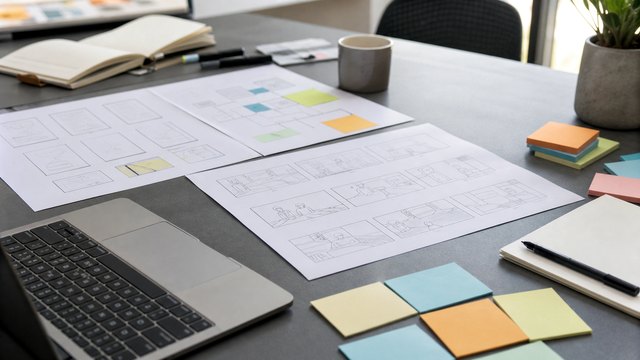
The script should explain the workflow in language the viewer would use. The storyboard or screen plan should identify what appears on screen, what gets clicked, where callouts belong, and what counts as the finished state.
For complex tutorials, use the software tutorial video storyboard template alongside the script. For lighter videos, a two-column script with narration and screen action may be enough.
- Open with the viewer's goal, not a long brand introduction.
- Explain why a step matters before showing fine detail.
- Keep labels, menu names, and product terms accurate.
- Mark screens that need zooms, callouts, highlights, or blurred fields.
- End with the completed state and the next logical action.
Recording and Editing
Good capture gives the edit room to breathe. Slow down on important screens, keep cursor movement deliberate, and pause long enough for captions or callouts to land.
The screen recording checklist for software training videos covers capture details in more depth, but the core production checks are simple:
- Use a consistent window size and browser zoom level.
- Turn off notifications, unrelated extensions, and distracting bookmarks.
- Leave a clean start and end for each workflow section.
- Record alternate states only when they help the lesson.
- Check that edits, zooms, and callouts support the viewer instead of covering the interface.
Voiceover, Captions, and Localization
Decide early whether the tutorial needs English captions only, translated SRT files, localized voiceover, or dubbed talking-head content. Those choices can affect pacing, script phrasing, text on screen, and final exports.
For customer-facing videos, a clean voiceover pass after screen capture usually gives better pacing than recording narration live. If the tutorial may be localized, avoid idioms and leave enough breathing room for translated captions or voiceover timing. The video localization guide covers the practical path from translated captions to localized voiceover and dubbed on-camera content.
Review and Approval
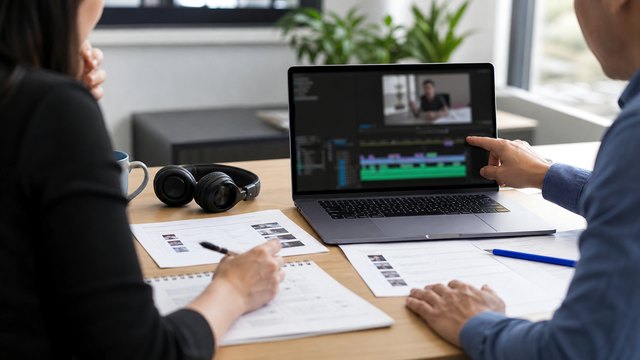
Review should happen in stages. Product accuracy comes first. Brand polish and final exports come later. That keeps the team from spending time polishing a video that still has a workflow issue.
- Outline review: confirm viewer, scope, workflow, and examples.
- Script review: confirm terminology, explanation, and required exclusions.
- Rough cut review: confirm screen accuracy, pacing, and clarity.
- Final review: confirm captions, thumbnail frame, exports, links, and embed destination.
Delivery Checklist
Before delivery, confirm the files match how the video will actually be used. A YouTube tutorial, sales follow-up clip, help-center embed, and LMS lesson may need different versions.
- Final master video.
- Transcript and SRT caption file.
- Thumbnail or poster frame.
- Short cutdown for sales, email, or release notes.
- Help-center, LMS, or YouTube-ready export.
- Localized captions, localized voiceover, or dubbed versions when needed.
Examples
These HiLo Media projects show how the checklist changes based on the viewer and product:
- TreatAnyone Software Tutorial and Onboarding Video shows how onboarding content can introduce a workflow clearly.
- CoStar Consolidated Listings Software Tutorial Video shows how B2B tutorial content depends on practical workflow clarity.
- Banktivity 6 Tags Screencast Tutorial Video shows a focused tutorial built around one specific feature task.
Related Guides
For planning, use the software tutorial video brief template. For narration and screen direction, use the software tutorial video script template. For screen-by-screen planning, use the software tutorial video storyboard template. For a release-focused workflow, review the feature release tutorial video guide. For proof of different approaches, see the software tutorial video examples.
Software Tutorial Production FAQ
What should be included in a software tutorial video production checklist?
A software tutorial video production checklist should include the viewer goal, scope, demo data, product access, script, screen plan, recording settings, voiceover notes, review path, captions, localization needs, and final deliverables.
When should a software team use the checklist?
Use the checklist before script approval and again before recording. It is most useful when product, support, customer success, sales, or compliance teams all need confidence in the same video.
Who should review a software tutorial video?
Most tutorials should be reviewed by the product owner, a support or customer-success reviewer, and one final approver. Regulated or sensitive products may also need legal, compliance, or security review.
How do you prepare demo data for a tutorial?
Use a stable demo account, realistic sample records, correct permissions, and a resettable start state. Remove private customer data, internal notes, browser history, notifications, and anything unrelated to the workflow.
Should captions and localization be planned before editing?
Yes. Captions, translated SRT files, localized voiceover, and dubbed talking-head versions can affect script length, pacing, on-screen text, timing, and export requirements.
Can one checklist support a tutorial series?
Yes, but each video in the series should still have its own viewer goal, workflow boundary, demo state, review notes, and delivery requirements.