A software tutorial video script template helps turn product knowledge into a clear lesson before screen capture begins. The goal is not to write a word-for-word performance script first. The goal is to define the viewer, workflow, steps, voiceover, visual proof, review path, and final deliverables so the tutorial teaches one job clearly.
Use this as a practical production brief for software tutorial videos, SaaS onboarding videos, customer training videos, help-center clips, or feature walkthroughs.
Software Tutorial Video Script Template
Copy this structure into a document before production. Fill in only what matters for the specific video.
| Section | Prompt | Notes |
|---|---|---|
| Viewer | Who is watching? | Name the role, experience level, and situation. Avoid "all users" unless the workflow truly applies to everyone. |
| Goal | What should the viewer be able to do after watching? | Use one clear action: create a report, import data, set permissions, configure a profile, or finish onboarding. |
| Starting point | Where does the viewer begin? | List account state, permissions, sample data, browser/app version, or setup assumptions. |
| Workflow steps | What are the essential steps? | Keep the path tight. Extra branches can become separate videos. |
| Screen visuals | What must be shown on screen? | Include clicks, fields, menus, states, warnings, loading moments, and final confirmation. |
| Voiceover | What does the viewer need to hear? | Explain why the step matters, not every cursor movement. |
| Callouts | What needs extra emphasis? | Use callouts for decisions, risks, important fields, and easy-to-miss UI details. |
| End state | What should success look like? | Show the completed screen, saved setting, exported file, sent message, or completed workflow. |
| Next step | What should the viewer do next? | Link to another tutorial, help article, support path, trial action, or onboarding step. |
Production Brief
The script is only one part of the job. A useful brief also tells the production team what source material, review input, and final versions are needed.
- Product access: demo login, permissions, test account, sample data, and any feature flags that need to be enabled.
- Source material: existing help article, rough outline, support ticket pattern, customer success notes, screenshots, and brand assets.
- Capture requirements: browser, operating system, screen size, cursor style, dark or light UI, demo data, and sensitive information to avoid.
- Voice and pacing: tone, pronunciation, product terms, reading speed, and whether the video needs captions or silent-viewer clarity.
- Review team: product owner, support lead, customer success reviewer, legal or compliance reviewer when needed, and final approver.
- Deliverables: full tutorial, short cutdown, thumbnail frame, transcript, captions, vertical crop, help-center embed, or localized version.
Outline Before Writing the Script
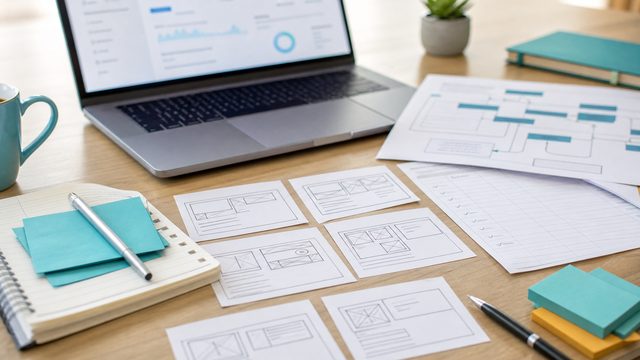
A strong tutorial usually starts with a simple outline, not a polished paragraph script. The outline keeps the video from becoming too broad.
- State the job: "In this video, you will learn how to..."
- Set the starting context: mention what must already be true before the first click.
- Show the shortest reliable path: capture the core workflow in the order a real user should follow.
- Explain decisions: call out moments where the viewer might choose one setting, path, or option over another.
- Confirm the result: show how the viewer knows the task worked.
- Point to the next step: keep the ending useful instead of fading out after the last click.
Voiceover Script Pattern
For most software tutorials, the voiceover should guide attention and explain purpose. It should not describe every mouse movement.
| Moment | Useful voiceover pattern | Avoid |
|---|---|---|
| Opening | "In this tutorial, we will create a saved report for weekly team review." | "Welcome to this video where we are going to talk about the software." |
| Setup | "Start from the dashboard with an account that has reporting access." | Skipping prerequisites that cause viewer confusion. |
| Action | "Choose the date range before adding filters, because the chart updates from top to bottom." | "Click here. Then click here. Then click here." |
| Decision | "Use the shared option if the report should be visible to the full team." | Showing options without explaining when to use them. |
| Confirmation | "When the saved badge appears, the report is ready to share." | Ending before the viewer sees success. |

Screen Capture Checklist
Clean screen capture saves time in editing and makes the final tutorial easier to follow.
- Use a realistic demo account with safe sample data.
- Set browser zoom and app window size before recording.
- Turn off notifications, bookmarks, browser extensions, and private tabs.
- Use consistent naming for demo files, users, projects, or records.
- Reset the workflow before each take so the start and end states match the script.
- Pause long enough on important screens for captions and callouts to be readable.
- Capture alternate states only when they are needed for the lesson.
Review Checklist
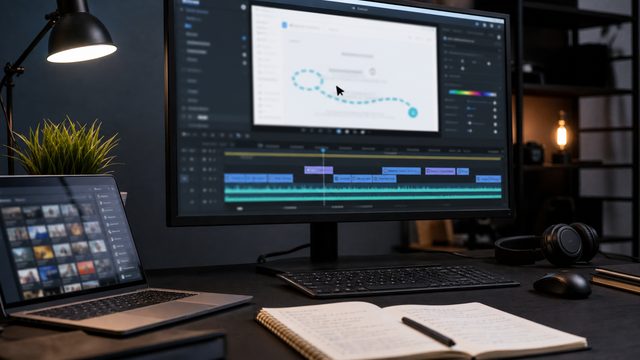
A software tutorial should be reviewed for accuracy, clarity, and production quality before delivery.
- Workflow accuracy: the steps match the current product and do not skip required decisions.
- Terminology: product names, feature names, menu labels, and UI text are current.
- Viewer clarity: the video explains the reason for each important step.
- Visual readability: text, cursor movement, callouts, and zoom levels are clear on the intended playback size.
- Audio quality: voiceover is clean, paced well, and easy to understand.
- Caption readiness: captions match the voiceover and do not cover important interface elements.
- Delivery fit: exports match the help center, LMS, YouTube, sales deck, or onboarding destination.
When to Split One Video Into Several
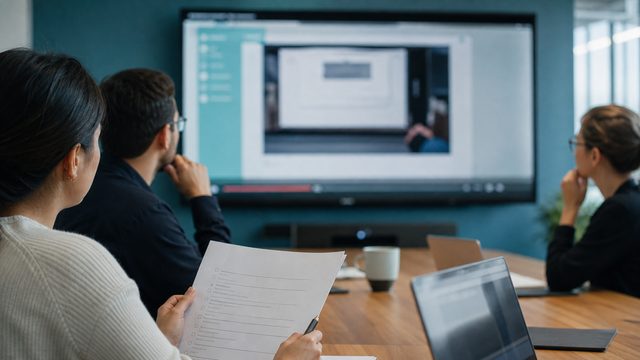
One long video is rarely the best answer when the viewer has several different jobs. Split the tutorial when each section has a different audience, starting point, permission level, or success state.
A setup video, admin video, daily-user video, troubleshooting video, and release-update video may all belong in the same tutorial library, but they should not always be one video.
Examples
These examples show different ways software tutorial and onboarding work can be structured.
- TreatAnyone Software Tutorial and Onboarding Video shows how a tutorial can help new users understand a product workflow.
- Costar Consolidated Listings Software Tutorial Video is a B2B software example where workflow clarity matters more than decoration.
- Banktivity 6 Tags Screencast Tutorial Video shows a focused feature tutorial built around a specific user task.
How This Connects to Other Video Assets
A tutorial script can also support other assets. The same outline can become a help-center article, onboarding checklist, sales follow-up clip, customer success resource, or YouTube description.
For broader planning, compare this template with the SaaS onboarding video guide, the software tutorial video examples, the software tutorial video cost guide, and the guide to choosing a software tutorial video agency. If the same workflow needs a shorter launch or product-page version, it may also support an app demo video.
If the same tutorial needs to serve global users, plan captions, translated SRT files, voiceovers, or dubbing early. The video localization guide explains the practical versioning path.
Software Tutorial Template FAQ
What should be in a software tutorial video script?
A software tutorial video script should define the viewer, goal, starting point, workflow steps, screen visuals, voiceover notes, callouts, end state, and next step.
Should a software tutorial be fully scripted?
Some tutorials need a full word-for-word script, but many start better as an outline with voiceover notes. The right format depends on product complexity, review needs, and how precise the narration must be.
How long should a software tutorial video be?
A software tutorial should be long enough to teach the workflow clearly and short enough to match the viewer's task. If one video covers several unrelated jobs, split it into a small tutorial series.
What should a software team prepare before recording?
Prepare product access, demo data, a workflow outline, brand assets, reviewer names, pronunciation notes, sensitive information to avoid, and final delivery requirements.
Can a tutorial script be used for captions and localization?
Yes. A clean script or transcript makes captions, translated SRT files, localized voiceovers, and dubbed versions easier to produce and review.
How does this template fit a SaaS onboarding video?
A SaaS onboarding video can use the same structure, but the viewer goal is usually activation: helping a new user complete setup, understand the first useful workflow, or reach a meaningful product milestone.