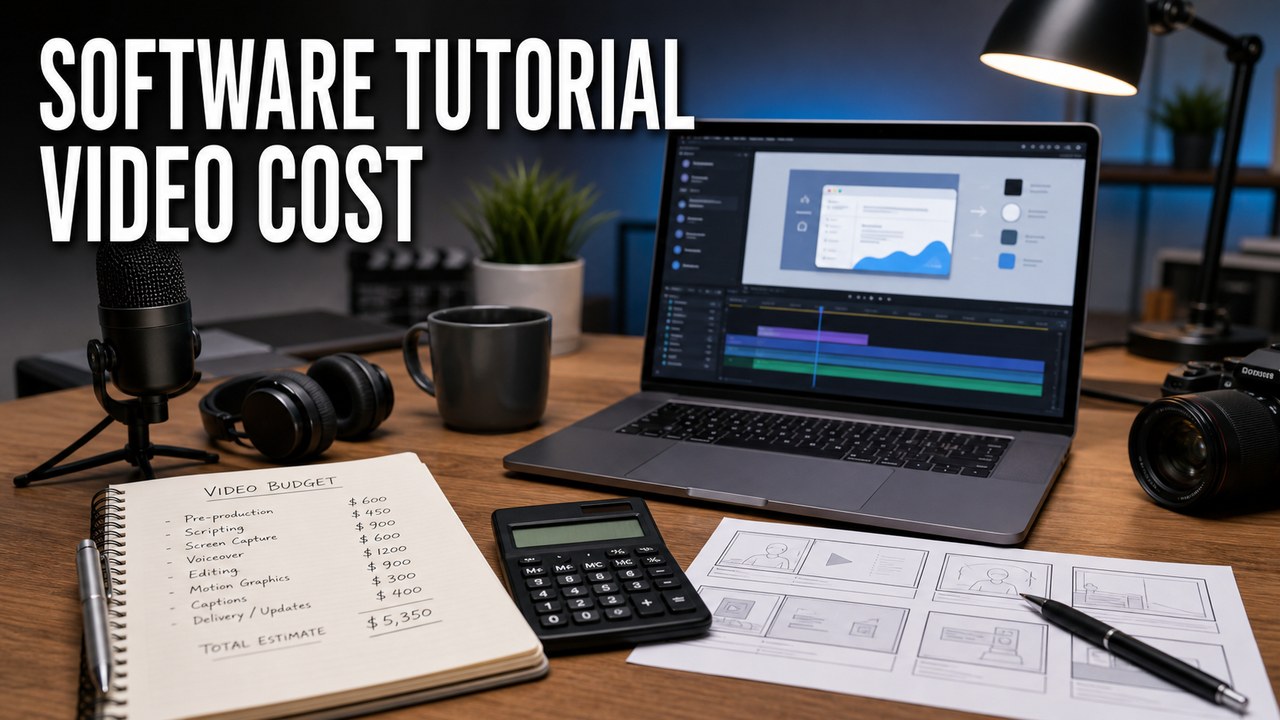
Software tutorial video cost depends on the amount of product thinking, production craft, review, and versioning needed to make the video useful. Runtime matters, but it is rarely the only driver. A two-minute tutorial for a complex SaaS workflow can require more care than a ten-minute internal recording.
The best pricing conversations start with the job the video has to do. A quick internal walkthrough, a polished onboarding lesson, a help-center video, a sales enablement clip, and a localized training asset all carry different requirements. A simple software tutorial video brief can make scope, review time, and deliverables easier to price.
What Affects Software Tutorial Video Cost
Most software tutorial budgets are shaped by product complexity, scripting, screen capture, voiceover, editing, captions, and review. If the product is hard to explain, changes often, or needs approval from several teams, the production plan should account for that from the start.
HiLo Media creates software tutorial videos for SaaS products, apps, healthcare technology, creative tools, and technical products. In that work, cost is usually tied to clarity: how much needs to happen before the viewer understands the workflow and can use it confidently.

Why Runtime Alone Does Not Set the Price
A shorter video can still be expensive if it needs product discovery, a careful script, staged demo data, motion graphics, multiple reviewers, captions, and alternate exports. A longer video can be simpler when it is a clean recording of a known workflow with limited polish.
The better question is not only "How long should the video be?" It is "What has to be true for this video to be accurate, clear, reusable, and easy to update?"
Typical Cost Drivers
- Product learning: the producer needs enough context to avoid recording the wrong workflow or explaining it in the wrong order.
- Scriptwriting: a tight script can save editing time and prevent the tutorial from becoming a feature list.
- Demo environment: sample data, permissions, user roles, privacy cleanup, and UI state all affect capture time.
- Screen capture: browser size, zoom level, cursor behavior, window cleanup, and retakes determine whether the product is easy to see.
- Voiceover: professional narration usually improves pacing and makes the tutorial easier to reuse.
- Editing and callouts: cuts, zooms, highlights, titles, and motion graphics should guide attention without making the product feel busy.
- Captions and transcripts: captions help accessibility, search, support, and reuse across YouTube, help centers, and product pages.
- Localization: translated captions, localized voiceover, and talking-head dubs add cost but can extend the value of one tutorial across markets.
- Review rounds: product, support, marketing, legal, and customer-success reviewers may each catch different issues.
- Deliverables: a main video, short cutdowns, help-center embeds, YouTube exports, thumbnails, and source files all change the production scope.
How to Keep Costs Under Control
The easiest way to control cost is to make decisions early. Know who the viewer is, what task the tutorial teaches, what demo account should be used, and who has final approval. That reduces re-recording and keeps the edit focused.
- Choose one clear viewer goal for each video.
- Group related tutorials into one production batch when possible.
- Prepare a stable demo account with clean sample data.
- Share product terminology, pronunciation notes, and existing help articles.
- Approve the outline before detailed scripting or capture begins.
- Limit late UI changes unless they affect accuracy.
- Decide early whether the video also needs YouTube, help-center, sales, or localized versions.
When Spending More Is Worth It
Higher production value is usually worth it when the tutorial will be customer-facing, sales-facing, used repeatedly, embedded in onboarding, or translated for more than one market. In those cases, weak audio, hard-to-read screens, or a confusing explanation can make the software feel harder than it is.
For customer onboarding work, see our guide to SaaS onboarding videos. For multilingual training needs, see video localization for product training. If you are comparing vendors, the article on choosing a software tutorial video agency covers what to ask before production starts.

For generated and hybrid projects, the AI video cost guide shows how credits, iterations, internal time, editing, and delivery affect the finished budget.
Software Tutorial Video Cost FAQ
What affects software tutorial video cost?
Software tutorial video cost is shaped by product complexity, scriptwriting, demo setup, screen capture, voiceover, editing, callouts, captions, review rounds, localization, and the number of versions needed for different channels.
Is a longer software tutorial always more expensive?
Not always. Runtime matters, but a short tutorial with complex demo data, heavy review, motion graphics, or multiple language versions can take more work than a longer straightforward walkthrough.
How can a company reduce software tutorial video cost?
A company can reduce cost by narrowing the viewer goal, preparing a clean demo account, sharing product terminology, approving the outline before recording, and grouping related tutorials into one production batch.
When is a professional software tutorial video worth the cost?
Professional production is usually worth it when the video is customer-facing, supports onboarding or support, helps sales, needs a long shelf life, or must be accurate across multiple review teams.
Do captions and localization change the budget?
Yes. Captions, translated SRT files, localized voiceover, and talking-head language versions add planning and production work, but they can make the same tutorial useful to more customers.