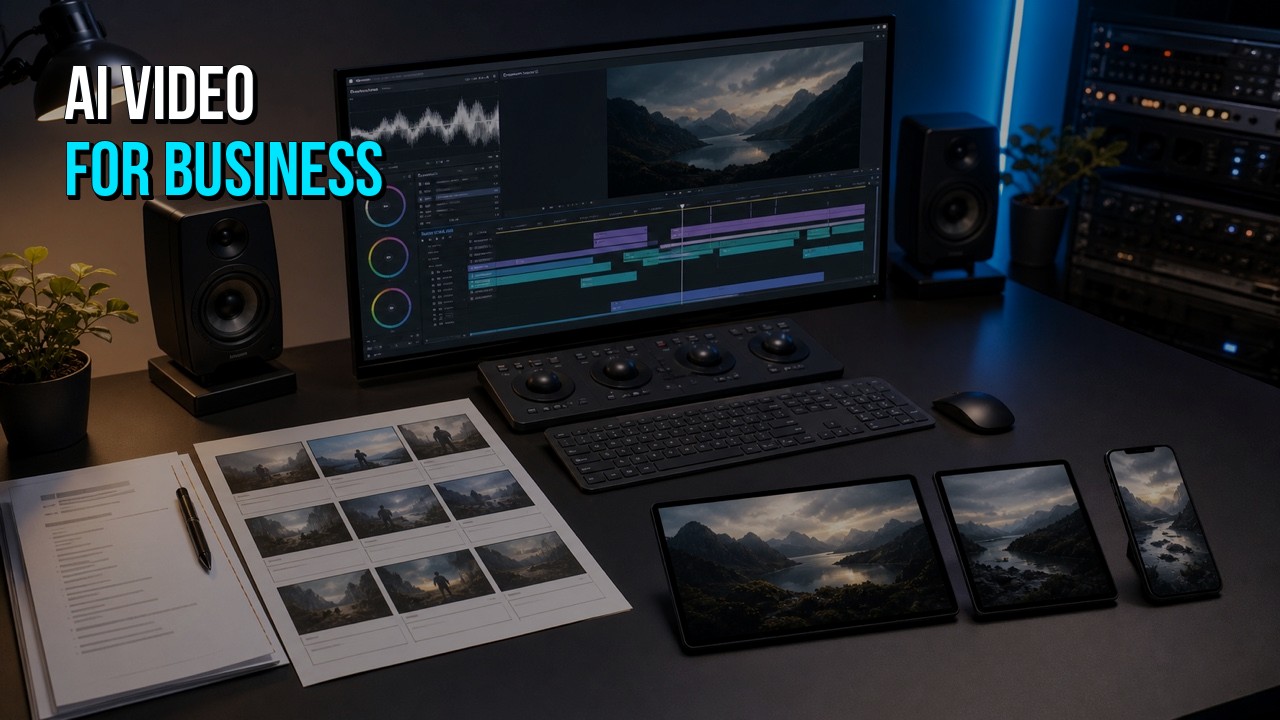
AI video can help a business create scripts, images, footage, voices, captions, translations, and rough edits more quickly. It does not automatically produce a finished marketing asset. A professional business video still depends on a clear message, accurate product details, consistent visuals, purposeful editing, good sound, brand control, review, and the right delivery versions.
The practical question is not whether AI can make video. It can. The better question is which parts of the project AI should handle, which parts need human judgment, and whether your team wants to manage the entire production process internally.
This guide explains the available approaches without assuming that every project should be outsourced. Some videos are reasonable DIY projects. Some justify full professional production. Many fall in the middle: the business creates a useful first draft, then a professional editor or production company turns it into something ready to publish.
What Is AI Video for Business?
AI video for business is video content created or modified with generative or automated tools to support a commercial, educational, operational, or marketing goal. It may be fully generated, but more often it combines several methods.
A business AI-video workflow can include:
- an AI-assisted outline or script;
- generated images or short video clips;
- an AI presenter or avatar;
- synthetic or cloned voiceover used with permission;
- stock footage selected or assembled automatically;
- real product footage or software screen recordings;
- automated captions, translations, reframing, cleanup, or versioning;
- professional editing, motion graphics, music, sound, and final delivery.
That means “AI video” is not one visual style. An avatar-led training video, a cinematic generated product concept, a software tutorial with AI voiceover, and a professionally edited social campaign can all use AI in different ways.
The production method should follow the job the video needs to do. A quick internal update does not need the same process as a homepage explainer, product launch, paid ad, customer training library, or investor presentation.
What Can AI Do in a Video Workflow?
AI is most useful when it removes repetitive work, accelerates exploration, or makes an otherwise impractical visual possible. It can support nearly every stage, but it should not be expected to make every decision.
Research and Brief Development
AI can help organize source material, summarize product documentation, identify repeated customer questions, compare rough messaging options, and turn notes into a usable creative brief.
The output still needs review. A product team should confirm terminology, claims, audience assumptions, and the action the video is meant to support.
Script and Outline Drafting
AI can turn a product page, presentation, interview transcript, or help article into a first script. It can also create shorter versions, alternative openings, scene descriptions, and calls to action. Tools like invideo agent can take that a step further by turning source material into a more complete video draft, including the script, scenes, visuals, voiceover, music, and initial edit. From there, the team can review and refine it for accuracy, pacing, and brand fit.
The first draft often sounds complete before it is specific. Human editing is needed to remove generic language, prioritize the most important point, preserve the brand voice, and confirm every product statement.
Storyboards and Visual Planning
Generated stills can help a team explore tone, environments, visual metaphors, compositions, or campaign directions before committing to production. AI can also turn a script into a preliminary shot list.
A useful storyboard does more than illustrate attractive frames. It must show what each scene communicates, what source asset is required, what needs to remain consistent, and how the scene connects to the next one.
Generated Images and Video Clips
Text-to-image, image-to-video, and text-to-video tools can create scenes that would otherwise require a location, crew, actor, prop, set, animation, or visual-effects budget. They can also generate transitions, backgrounds, inserts, product atmospheres, and conceptual material.
The strongest results usually come from treating generated clips as individual production assets. Asking one system to make an entire finished business video in a single step gives the team less control over message, continuity, branding, pacing, and accuracy.
Avatars and Presenters
AI presenters can be efficient for internal communication, training, repeated updates, localized content, or a large library of simple educational videos. They are less appropriate when authenticity, emotion, nuanced performance, or a recognizable company spokesperson is central to the message.
The deciding factor is not whether the avatar looks technically impressive. It is whether the format feels credible for the audience and purpose.
Voiceover and Localization
AI voices can provide quick drafts, cost-effective updates, consistent delivery, and multiple language versions. Human voiceover remains valuable when performance, warmth, authority, character, pronunciation, or emotional nuance matters.
Localization also requires more than translating a script. On-screen text, timing, screen layouts, captions, pronunciation, cultural context, and review by someone who understands the target language may all affect the final version.
See HiLo Media's video localization guide for a broader production view.
Editing, Cleanup, and Versioning
AI can assist with transcription, silence removal, object cleanup, audio enhancement, captions, reframing, rough selects, color matching, and version creation. These tools can reduce mechanical work.
Editing still requires judgment. The editor decides what the viewer needs, where attention should go, what can be removed, how the audio supports the picture, and whether the final sequence actually delivers the promised message.
What AI Video Still Needs From People
The more important the video is to the business, the more valuable human direction becomes.
A Clear Audience and Goal
A generator cannot reliably decide which audience matters most, what that viewer already knows, what objection needs to be answered, or which action the video should support. Those are business and communication decisions.
A Specific Point of View
AI tends to produce plausible averages. That can lead to scripts and visuals that resemble the category without expressing what makes the company, product, or approach distinct.
A professional producer or experienced internal team gives the video a point of view: what to emphasize, what to leave out, and why the viewer should care now.
Product Accuracy
Generated interfaces, products, labels, workflows, diagrams, and technical details can be inaccurate. A business should not assume that a polished-looking visual is correct.
For software, SaaS, apps, devices, healthcare products, and technical services, real source material and subject-matter review should anchor the production. HiLo Media's app demo and software tutorial workflows are designed around that requirement.
Continuity and Visual Control
Generated scenes may change the subject, product, proportions, wardrobe, lighting, architecture, camera language, or art direction. Continuity often requires reference development, careful selection, regeneration, compositing, retouching, and replacement shots.
Brand Judgment
A logo, font, color palette, and prompt do not automatically create a branded video. The piece also needs a consistent voice, rhythm, image treatment, typography, motion language, sound, and level of polish.
Review and Accountability
A tool can generate another version. It cannot own the deadline, coordinate reviewers, interpret conflicting feedback, protect the core idea, confirm the deliverables, and take responsibility for the final file.

The Complete AI Video Production Workflow
A useful AI-video workflow is similar to any sound production workflow. AI changes how some assets are made, but it does not eliminate planning, review, and finishing.
1. Define the Viewer and Business Result
Write down:
- who should watch;
- what the viewer should understand or feel;
- what the viewer should do next;
- where the video will appear;
- what would make the video inaccurate or unusable;
- which stakeholders need to approve it.
Without this step, the team may spend hours improving the wrong video.
2. Select the Format Before Selecting the Tool
Decide whether the idea is best served by:
- a screen-based tutorial;
- a product demo;
- an animated explainer;
- an avatar or presenter;
- a voiceover-led montage;
- generated cinematic scenes;
- an interview or testimonial;
- a hybrid of real, generated, stock, and animated material.
Tool selection comes after format selection. A popular generator is not automatically the right production method.
3. Build the Script and Scene Plan
Create an approved script and assign a visual job to each scene. Mark whether the scene needs real product footage, screen capture, stock, generated material, motion graphics, text, diagrams, or a presenter.
This prevents the common problem of generating many attractive clips that do not form a coherent argument.
4. Establish Visual Rules
Before creating dozens of assets, define:
- aspect ratio and safe areas;
- reference images;
- subject and product continuity;
- palette and contrast;
- lighting and lens language;
- camera movement;
- typography and graphic treatment;
- realism or stylization level;
- elements that must never change.
A short visual guide reduces wasted iteration.
5. Generate, Capture, or Collect the Assets
Produce each scene with the strongest available method. A generated establishing shot may be efficient. A software workflow should usually be real screen capture. A product close-up may need approved photography or 3D. A complex idea may need motion graphics.
The goal is not to maximize AI usage. It is to create the clearest video efficiently.
6. Record or Create the Voice Track
A temporary AI voice can help establish timing. Before finalizing, choose whether the project needs:
- a human narrator;
- a directed AI voice;
- a company spokesperson;
- an avatar presenter;
- no narration at all.
Review pronunciation, pacing, emphasis, tone, and rights.
7. Edit the Story
Assemble the strongest material around the approved message. Remove repetition. Shorten scenes that no longer need explanation. Replace generated shots that distract from the point. Let real product evidence carry the sections where trust and accuracy matter.
8. Add Graphics, Sound, Captions, and Brand Finishing
Apply typography, callouts, transitions, motion graphics, music, sound design, color, audio mixing, captions, and logo treatment as one system. Correct or cover generated text and details that do not meet the quality bar.
9. Review for Accuracy, Rights, and Channel Fit
Before approval, confirm:
- product and factual accuracy;
- approved claims and terminology;
- permission for supplied faces, voices, logos, source media, and generated assets;
- caption accuracy;
- brand standards;
- required disclosures where applicable;
- crop and readability in every delivery format.
Terms and legal requirements vary by tool, use, location, and platform. Businesses should verify the current terms for every service and asset used.
10. Deliver and Preserve the Source Package
Export the required master and channel versions. Organize the approved script, captions, voiceover, selected clips, graphics, licenses, prompts or generation notes, and editable files so the video can be updated later.
When DIY AI Video Is Enough
A DIY approach can be completely reasonable when:
- the video is an internal update or early concept;
- the message is simple and low risk;
- the audience accepts a template or avatar format;
- precise product visuals are not required;
- the video has a short useful life;
- someone on the team enjoys the production process and has time to learn it;
- the result does not need many reviewers, versions, or custom graphics.
The best DIY project has clear limits. Define the runtime, output, deadline, and maximum amount of internal time before beginning. That makes it easier to recognize when continued experimentation costs more than professional help.
When Professional Production Is Worth It
Professional involvement becomes more valuable when the video:
- represents the company publicly;
- supports a launch, sale, campaign, onboarding flow, or recurring customer question;
- needs exact product, interface, medical, technical, or compliance-sensitive information;
- requires a distinctive brand treatment;
- contains several production methods or many delivery versions;
- has already consumed too much internal time;
- needs coordinated feedback from multiple stakeholders;
- must become a reusable series rather than a one-off file.
Professional production does not always mean starting from zero or using a large traditional crew. An experienced team can work from your existing script, generated clips, voice track, reference material, and rough edit.
Read Can a Professional Fix or Finish My AI-Generated Video? for the salvage and finishing path.
What AI Video Really Costs
The visible subscription or generation price is only one part of the cost.
A more useful formula is:
True AI video cost = tools and credits + failed iterations + source assets and licenses + internal labor + professional labor + stakeholder review + revisions + delivery versions + future update work
Tool and Credit Costs
A project may use separate tools for scripting, image generation, video generation, avatars, voice, cleanup, captions, music, and editing. Higher resolution, longer clips, retries, and premium models may consume more credits.
Iteration Costs
The first output is rarely the final asset. The team may generate many versions to obtain one usable shot, especially when continuity, exact actions, readable products, or matching camera movement matters.
Internal Time
Count the hours spent learning tools, managing accounts, writing prompts, reviewing outputs, reorganizing assets, editing, collecting feedback, and exporting versions. A low subscription price can still support an expensive internal workflow.
Production and Finishing Costs
A professional may be hired for strategy, script, art direction, generation, editing, motion graphics, sound, voiceover, compositing, captions, localization, or project management. The cost depends on the amount of judgment and custom work, not simply the number of generated seconds.
Opportunity Cost
The final question is what the internal team is not doing while it produces the video. For a one-off experiment, that tradeoff may be acceptable. For a public launch or recurring series, a managed production path may be less expensive overall.
See How Much Does AI Video Really Cost? for a complete budgeting worksheet.
How to Make AI Video Look Professional
A professional-looking AI video is not defined by whether viewers can detect AI. It is defined by whether the video feels specific, coherent, accurate, and intentional.
Do Not Ask One Tool to Make Every Decision
Use AI for the parts it performs well, then use a script, shot plan, editor, graphics system, and sound mix to control the final piece.
Mix Generated and Real Evidence
When the viewer needs to trust a product, show the product. Generated material can establish a concept or mood, while real screen capture, photography, interface footage, customer proof, and approved diagrams establish credibility.
Remove Generic Language
Replace statements such as “revolutionize your workflow” with the concrete problem, action, or result the product supports.
Maintain Continuity
Use references and visual rules. Select shots based on how they work together, not only how impressive they look separately.
Replace Generated Text
Do not rely on generated logos, interface labels, signs, charts, or product copy. Rebuild important text and graphics with controlled typography.
Direct the Voice
Correct pronunciation, pauses, emphasis, and emotional tone. Replace a voice that makes the content feel interchangeable or untrustworthy.
Use Sound Deliberately
Music, effects, ambience, and a balanced mix make the video feel complete. Weak sound can make strong images feel unfinished.
Edit for the Viewer
Remove shots that call attention to the generation method instead of advancing the message. A shorter, clearer video with fewer strong assets is usually better than a longer demonstration of everything the tool produced.
Read How to Make an AI Video That Does Not Look AI-Generated for the detailed quality checklist.
Which Business Video Formats Work Best With AI?
Short Social Videos
AI can provide visual variety, quick concepts, backgrounds, versions, and experimental hooks. Professional templates and finishing help keep a series consistent.
Explainer Videos
AI can support scripts, storyboards, metaphors, and selected visuals. A strong explainer still needs a specific argument and a visual system that clarifies the product rather than decorating the narration.
Related guide: How to Choose the Best Explainer Video Maker
Product and App Demos
AI is useful around the real product: for intros, environments, transitions, supporting scenarios, voice, captions, or versioning. The core demonstration should normally use accurate source material.
Software Tutorials
AI can accelerate outlines, voice drafts, captions, translation, and repetitive post-production. Real screen capture and reviewed instructions remain essential.
Related comparison: Professional vs. Homemade Software Tutorial Videos
Training and Internal Communication
Avatar and template formats can work well when clarity, repeatability, and speed matter more than a distinctive campaign treatment.
Concept and Previsualization Videos
Generated video is especially useful for communicating an idea before a full production, product, location, or campaign exists. The video should be labeled and used appropriately when it depicts concepts rather than actual product behavior.
Localized and Versioned Content
AI can make additional languages and channel versions more practical, provided the team reviews timing, pronunciation, captions, on-screen text, and the cultural fit of each version.
How HiLo Media Can Use or Finish an Existing AI Draft
HiLo Media can begin with:
- a product page or presentation;
- a rough script;
- generated images and clips;
- an avatar or voice track;
- a complete exported draft;
- editable project files;
- prompts and reference material;
- brand assets and required delivery specifications.
The first production recommendation separates the material into four groups:
| Decision | Meaning |
|---|---|
| Keep | The asset works and supports the message. |
| Repair | The asset can be improved through editing, cleanup, graphics, sound, compositing, or reframing. |
| Replace | The scene needs a stronger generated, stock, screen, product, animated, or live-action asset. |
| Rebuild | The script, structure, or production approach cannot meet the goal without a more substantial change. |
This lets the client preserve useful work and spend the production budget where it changes the result.
Explore AI video production and professional finishing or send the current draft for a focused recommendation.
Send HiLo Media your idea, source material, or current AI-video draft for a practical recommendation based on what the project actually needs.
AI Video for Business FAQ
Can AI create a professional business video?
Yes, but professional quality normally comes from a managed workflow rather than one generated export. The script, scene plan, visual continuity, real product evidence, editing, sound, branding, review, and final delivery all affect whether the result is ready for business use.
Is AI video suitable for marketing?
AI video can work for social content, explainers, campaign concepts, product stories, educational content, ads, and versioning. The format should match the audience, brand, accuracy requirements, and importance of the campaign.
Is AI video cheaper than professional video production?
The raw generation cost can be low, but the finished cost also includes subscriptions, credits, retries, assets, internal time, editing, sound, review, and versions. AI-assisted professional production can reduce some costs while preserving a managed path to completion.
Can AI make a product demo or software tutorial?
AI can support the script, voice, captions, localization, graphics, and surrounding visuals. Real product footage or screen capture should usually show the actual workflow so the video remains accurate.
Will an AI video look generic?
It can when the script, imagery, voice, motion, and edit rely on defaults. Specific source material, a clear visual system, controlled typography, real product evidence, and professional finishing reduce that problem.
Can a video editor fix an AI-generated video?
Often, yes. An editor or production team can restructure the story, improve pacing and sound, replace weak shots, add brand graphics, correct text, create captions, and deliver new formats. Severe artifacts or inconsistent subjects may require replacement rather than repair.
What should I send a professional if I already started the video?
Send the exported draft, original generated clips, prompts, references, script, voice track, brand kit, project files, product assets, and a list of required changes and deliverables. Include rights or license information for any external material.
Should my business use AI video or traditional production?
Use the method that fits the message. AI is strong for exploration, generated scenes, repeatable formats, and versioning. Real production is stronger when authentic people, exact products, locations, performance, demonstrations, or documentary proof are central. A hybrid approach often provides the best control.
Disclosure: InVideo is providing HiLo Media with InVideo Studio access in exchange for this sponsored mention.