Use AI to create video when the job is clearly defined, mistakes have limited consequences, and your team can review the result. Hire a professional when the video needs accurate product demonstrations, a distinctive brand, credible human performances, or a coordinated approval process. A hybrid approach often makes sense: use AI for selected tasks while a producer controls the message and final quality.
The deciding question is simple: what has to be right for this video to do its job?
First, be clear about what “AI video” means
Three different workflows get grouped under the same label:
- Generative video creates new imagery or footage from prompts and reference material.
- AI-assisted editing helps with parts of an existing production. For example, Adobe’s Generative Extend can add frames or ambient audio to an existing clip.
- Template or avatar video packages a script, presenter, graphics, and other assets into a repeatable format.
Authentic screen capture is another category. Recording your actual application shows its interface and behavior. Generated footage should not be presented as evidence that your product does something it cannot do.
Professional production can include any of these methods. The professional contribution is deciding what to show, how to explain it, and how to deliver a video people can trust.
When is DIY AI video a good choice?
Start with AI when you have a narrow brief and a realistic way to check the output.
Good candidates include:
- Exploring an idea. Try a visual direction or rough sequence before committing to production. Label concepts clearly so nobody mistakes them for finished work.
- Simple, repeatable communication. An approved template may be enough for a routine update with one message and one reviewer.
- Supporting visuals. A generated background or abstract transition may work when it does not need to establish facts about a product, person, or event.
- A small creative test. Compare a few approaches before expanding a campaign, provided each version meets your brand and accuracy standards.
Internal does not automatically mean low risk. Employee training, confidential information, and company policies still need appropriate review.
DIY also works better when someone on your team already understands video. Tool access alone does not provide scripting, pacing, audio, or quality-control skills.

When should you hire a video professional?
Bring in a producer, editor, animator, or production team when your team cannot reliably meet the requirements below. A skilled in-house team may already cover these roles; outsourcing is not the only route to professional work.
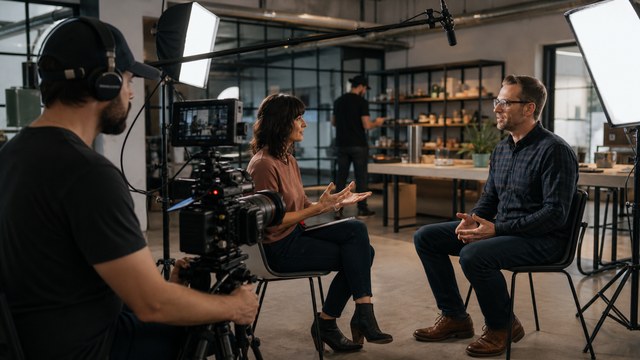
1. The video must show the real product accurately
For a software walkthrough, viewers need the correct button, screen, sequence, and result. Build the video around approved product capture, not a plausible-looking interface.
A useful test: can a customer follow the video in the current product and get the result shown? If not, fix the demonstration before polishing the visuals. This is central to software tutorial video production.
2. The audience needs authentic evidence
A customer testimonial needs an actual customer’s experience. A founder interview needs the founder’s real message. Product-performance claims need support.
Use generated material for illustration where appropriate, but do not let it imply that a real person said something, a customer achieved a result, or an event occurred when it did not.
3. Brand consistency matters across scenes
Check more than the logo. Voice, pronunciation, typography, color, product appearance, motion, music, and pacing all contribute to the brand.
Before generating a full series, approve a representative sample. If essential details keep changing or repairs take longer than expected, change the production method rather than lowering the standard.
4. Rights and confidentiality need careful handling
Check the actual model and plan, commercial-use terms, source-asset permissions, voice and likeness consent, disclosure requirements, and client restrictions. Do this before uploading confidential footage or unreleased product material.
Terms can differ within one platform: Adobe notes that partner models may have different commercial-use terms.
Commercial permission also does not settle copyright protection or exclusivity. In the United States, the Copyright Office emphasizes human authorship; simply providing prompts is not enough. Get qualified legal advice when ownership is material to the project.
5. Several people must approve the result
Product, marketing, leadership, and legal reviewers may have different priorities. Agree on who approves the script, visuals, claims, and final cut before production starts.
A professional process should make revisions specific and traceable. Hiring someone does not remove your responsibility to approve facts about your own business.
6. You will need to change the video later
Ask how you will replace a screen, update a number, change narration, or create another language version. Check what source files and usage rights will be delivered; do not assume every quote includes them.
For long-lived content, separate narration, titles, graphics, and product capture where practical. An attractive flattened export may be expensive to revise.
7. Scale will multiply the work
Ten versions need ten accuracy checks, even if generation is fast. Plan the template, source of truth, naming, reviewers, and delivery formats before increasing volume.
Professional setup can be useful for a recurring library. A one-off clip may not justify the same investment.
What does a hybrid workflow look like?
Consider a hypothetical software feature launch:
- The product team confirms the workflow and approved claims.
- A producer builds a short script around the viewer’s problem.
- The actual feature is screen-recorded using approved demonstration data.
- AI helps explore supporting visual ideas or a temporary narration track.
- An editor combines the capture, selected assets, graphics, and final voice into one coherent video.
- Reviewers check product accuracy, rights, captions, sound, and each delivery format.
The feature demonstration stays factual. AI is used where it helps without being asked to invent the evidence.
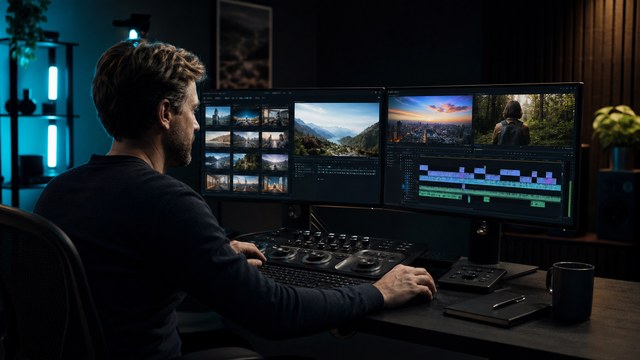
That approach fits many app demo videos. It can also work when your team has a useful rough draft and needs professional editing and finishing.
Compare the cost of an approved video
Compare the same deliverables, review rounds, source-file arrangements, and update needs. Include software, credits, licenses, staff time, rejected attempts, editing, and approvals in the DIY estimate.
A fast first clip is helpful only if you can turn it into an approved final. Set a time budget for a small test. If it fails your acceptance criteria, reassess before generating more.
HiLo’s AI video cost guide covers the budgeting questions in more detail.
Frequently asked questions
Can AI make a business video without a professional?
Yes, if the format suits the task and your team can handle the script, review, edit, and delivery. Low complexity helps, but every published video still needs someone accountable for accuracy and quality.
Should an entire product demo be AI-generated?
If the purpose is to demonstrate actual functionality, use real product evidence. AI can support the presentation without replacing the screen capture or approved product material viewers need to trust.
Can I start with AI and hire an editor later?
Yes. Keep your script, selected clips, voice tracks, licenses, and editable files. Ask the editor to assess the material before commissioning more. Some assets may be usable; others may need replacing.

Choose the method around the message
HiLo Media offers producer-led AI video production alongside its established video services. If you are weighing DIY, hybrid, or custom production, send HiLo your project details: audience, goal, existing assets, deadline, and budget.