Yes. AI can contribute to a professional marketing video, but a generated export is not automatically a professionally produced video. The final quality depends on the message, source material, visual continuity, product accuracy, editing, sound, branding, rights review, and the standards applied before publication.
AI is best understood as a set of production tools. It can help create scripts, storyboards, images, footage, avatars, voiceover, captions, translations, and versions. A professional result comes from deciding how those elements should work together for a specific audience and business goal.
For the complete planning, production, cost, and hiring framework, read AI Video for Business.
What Does “Professional” Mean for a Marketing Video?
A professional video does not need a large crew, expensive location, or traditional camera shoot. It does need to feel intentional and trustworthy.
A publish-ready marketing video should usually meet these standards:
- the viewer and next action are clear;
- the script sounds specific to the company or product;
- visual style and subjects remain consistent;
- product details and claims are accurate;
- typography, logos, colors, and motion follow the brand;
- voiceover and music support the message;
- edits feel purposeful rather than automatic;
- captions and on-screen text are correct;
- every asset can be used in the intended commercial context;
- the final file is delivered in the formats the campaign needs.
AI can help with each item. It does not independently guarantee any of them.

Which Parts of a Marketing Video Can AI Create?
Script and Messaging Drafts
AI can turn a product page, presentation, brief, or interview notes into a first script. It can shorten a draft, propose openings, create scene descriptions, and adapt the message for different channels.
The human review should remove broad statements that could belong to any company. The final script should explain the real customer problem, the specific value, and the reason to act.
Visual Concepts and Storyboards
Generated stills are useful for exploring tone, framing, environments, campaign metaphors, and visual directions before production begins.
The storyboard still needs a communication plan. Each scene should have a reason to exist beyond looking impressive.
Generated Footage
AI can produce short visual moments, conceptual scenes, backgrounds, product atmospheres, transitions, and imagery that would be difficult to film. It is particularly useful when the scene is illustrative rather than documentary.
Generated footage is less reliable when the video needs an exact product, interface, human action, location, label, diagram, or sequence of events.
Presenters and Voiceover
AI presenters and voices can work for repeatable, informational, or localized formats. They may also help create timing drafts before final voiceover.
The choice should follow the audience. A viewer may accept an avatar in a training update but expect a real founder, customer, clinician, or subject-matter expert in a high-trust message.
Editing Assistance and Versioning
AI can support transcription, captions, cleanup, silence removal, reframing, rough selects, and channel versions. These functions save time, but the final edit still needs a person to judge clarity, pace, emphasis, and emotional rhythm.
Where One-Click AI Marketing Videos Usually Fall Short
A one-click video can be useful as a concept or internal draft. Common problems appear when it is treated as the final public asset.
The Script Is Correct but Generic
The narration may sound polished while saying very little. Phrases such as “transform your business,” “unlock your potential,” or “revolutionize your workflow” do not explain the product or establish credibility.
The Visuals Do Not Prove the Claim
Generated imagery may illustrate a category without showing the real application, interface, device, service, customer result, or process. The viewer sees mood instead of evidence.
Scenes Do Not Match
Characters, products, rooms, wardrobe, lighting, and camera style may shift between shots. Each clip can look impressive on its own while the complete edit feels inconsistent.
Generated Text Is Unreliable
Logos, labels, interfaces, charts, signs, and product packaging may contain incorrect or invented text. Important typography should be rebuilt with controlled graphics.
The Voice and Pacing Feel Automated
A technically clean voice can still use the wrong emphasis, pauses, pronunciation, or emotional tone. Automatic scene timing may hold weak images too long and rush the ideas that need explanation.
The Brand Is Applied at the End
Adding a logo and brand color to a generic template does not make the video feel native to the company. Brand expression also includes tone, imagery, motion, type, sound, and editorial choices.
When Is a DIY AI Marketing Video Good Enough?
A self-produced video may be appropriate when:
- it is an internal concept or temporary update;
- the audience is small and already has context;
- a template, slideshow, or avatar format is expected;
- exact product fidelity is not important;
- the message is simple and low risk;
- the team has time to learn the tools and review the output;
- the video does not need a complex approval process;
- the result will not be the primary representation of the company or product.
“Good enough” should be defined before production begins. Establish the maximum internal time, required quality, and useful lifespan of the video. Otherwise, an inexpensive tool can become an open-ended production project.
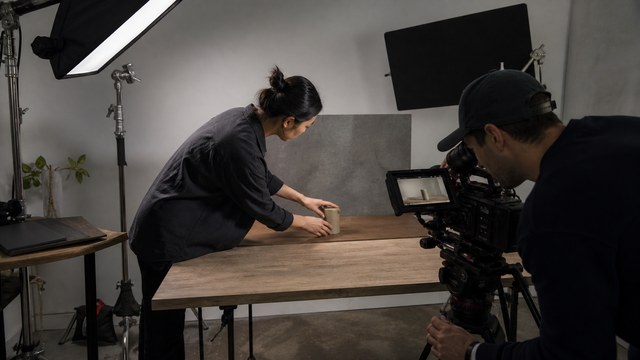
When Should a Marketing Video Be Professionally Produced or Finished?
Professional involvement is usually valuable when the video will:
- appear on a homepage, landing page, app store, campaign, sales deck, event screen, or paid channel;
- support a launch, purchase, demo request, onboarding flow, or important customer decision;
- explain a technical or regulated product;
- use the real application, interface, device, or process;
- require a distinctive campaign style;
- be reviewed by product, marketing, leadership, legal, or compliance;
- need multiple runtimes, aspect ratios, captions, languages, or channel versions;
- become the template for a larger series.
A professional can start at the beginning or after the internal team has created a draft. The second route can be efficient because the rough video reveals the desired message, useful assets, and problem areas.
What Does a Professional Change in an AI Marketing Video?
A professional producer or editor typically improves the result in five connected areas.
1. Message
The script is focused on one audience and one next step. Generic claims are replaced with product-specific language, proof, or a clear demonstration.
2. Visual Method
Each scene uses the strongest production method: generated footage, real product material, screen capture, stock, animation, graphics, live action, or a combination.
3. Continuity
The team selects, regenerates, replaces, composites, crops, grades, or redesigns assets so the video feels like one visual system.
4. Editorial and Audio Finish
The edit removes repetition, controls pace, directs attention, and uses voice, music, sound design, captions, and graphics deliberately.
5. Delivery
The final scope accounts for where the video will be used: website, YouTube, sales, paid social, vertical, square, captions, clean versions, thumbnails, or localization.
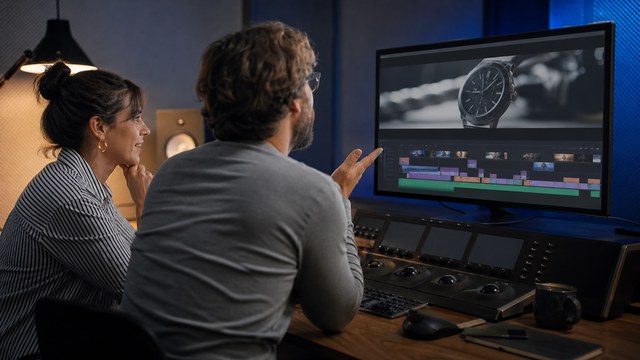
AI Marketing Video Quality Checklist
Before publishing, review the video with the sound on, the sound off, at normal speed, and frame by frame where necessary.
- Does the opening tell the right viewer why the video matters?
- Could the script belong to a competitor with only the company name changed?
- Does the video show real proof where proof is required?
- Do people, products, environments, and lighting remain consistent?
- Are logos, interface labels, product details, and on-screen text correct?
- Does every scene support the message?
- Is the voice natural, correctly pronounced, and appropriately paced?
- Are music and effects licensed and mixed at a usable level?
- Are captions accurate and readable on mobile?
- Does the crop work in every promised aspect ratio?
- Have product, marketing, and other required reviewers approved it?
- Are the terms for all generated and supplied assets compatible with the intended use?
AI Video or Traditional Production?
The choice does not need to be absolute.
| Project need | Strong production choice |
|---|---|
| Conceptual worlds or difficult-to-film supporting scenes | Generated footage with professional direction |
| Real software workflow | Screen capture with motion graphics and AI-assisted post-production |
| Exact physical product | Approved product photography, video, or 3D combined with generated supporting material where useful |
| Founder, customer, or expert credibility | Real interview or presenter, possibly supported by AI cleanup and versioning |
| Repeatable internal training | Avatar, template, or screen-based AI-assisted workflow |
| Distinctive public campaign | Hybrid production with a controlled creative and finishing process |
The goal is not to use the most AI. The goal is to use the most efficient method that protects the message and quality.
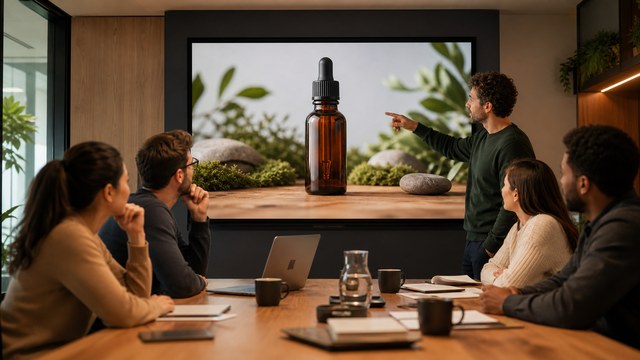
Can HiLo Media Help After We Already Made the Video?
Yes. HiLo Media can review a complete draft, generated clips, script, voice track, prompts, reference images, and source files. The material can then be sorted into four groups:
- Keep: it already supports the finished video.
- Repair: editing, graphics, sound, compositing, color, or reframing can improve it.
- Replace: another generated, stock, screen, product, animated, or live-action shot will work better.
- Rebuild: the structure or message needs a more substantial change.
This approach preserves useful work instead of treating the DIY attempt as wasted effort.
Learn more about AI-assisted video production and professional finishing.
When the message needs a clear visual explanation, review HiLo Media's explainer video production approach.
Send HiLo Media your idea, source material, or current AI-video draft for a practical recommendation based on what the project actually needs.
FAQ
Can AI make a commercial-quality marketing video?
Yes, especially when generated assets are developed inside a directed production workflow. Commercial quality still requires accurate messaging, visual continuity, controlled branding, editing, sound, rights review, and final quality control.
Can I use an AI video on my company website?
You can when the video meets your quality, accuracy, brand, accessibility, and rights requirements. Verify the current commercial-use terms for every generator, voice, music track, stock asset, and supplied element used in the project.
Does an AI marketing video need a video editor?
Simple internal or template videos may not. A public-facing piece often benefits from an editor who can structure the story, select or replace material, improve pacing and audio, apply graphics, and deliver the correct versions.
Should an AI marketing video show the real product?
When the product or workflow is central to the purchase decision, yes. Generated supporting scenes can add context and visual range, but real screen capture, product footage, approved imagery, or accurate animation should provide the evidence.
Can a professional improve a video after it has been generated?
Yes. Many issues can be improved through restructuring, shot replacement, graphics, color, compositing, sound, voiceover, captions, and reformatting. Some severe visual artifacts or continuity problems are better replaced than repaired.