Yes. A professional editor or production team can often turn a rough AI-generated video into a publishable business asset by restructuring the story, selecting the usable material, replacing weak shots, improving the voice and sound, rebuilding graphics, applying the brand, and creating the final versions. The right scope depends on what source material exists and whether the current problems can be repaired or require replacement.
You do not need to decide whether the whole project is salvageable before asking for help. The first professional review should separate the video into four categories: keep, repair, replace, or rebuild.
For the complete planning, production, cost, and hiring framework, read AI Video for Business.
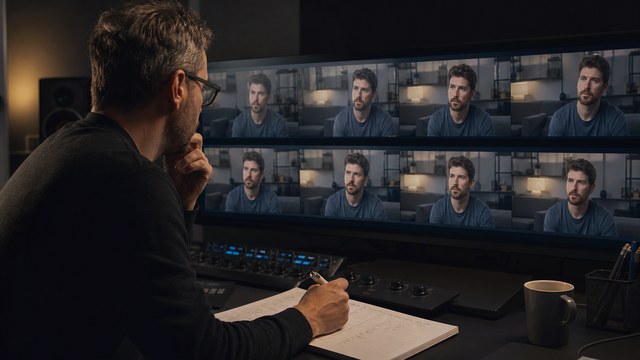
What Can Usually Be Fixed?
Story Structure and Runtime
A draft may contain the right ideas in the wrong order, repeat the same point, wait too long to show the product, or end without a clear next step.
An editor can:
- rewrite or tighten the opening;
- remove repeated lines and shots;
- reorganize scenes around the viewer's question;
- shorten the runtime;
- add missing transitions or context;
- move the product or proof earlier;
- create a stronger call to action;
- produce alternate short versions.
Structure is often the highest-value correction because it changes how every existing asset is perceived.
Shot Selection and Pacing
A rough AI video may use the first acceptable generation rather than the strongest material. Shots may all last the same amount of time or continue after the useful action has ended.
A professional can:
- review all source generations rather than only the current selects;
- choose more consistent angles and performances;
- shorten clips around their strongest frames;
- hide unstable openings or endings;
- retime shots where the motion allows it;
- use inserts, graphics, product footage, or cutaways to cover weak moments;
- replace spectacle with clearer evidence.
Voiceover
The current voice can often be improved or replaced.
Possible fixes include:
- correcting pronunciation;
- changing the pace and pauses;
- regenerating selected lines;
- matching tone between separately created sections;
- cleaning noise or synthetic artifacts;
- replacing the voice with a different AI voice;
- recording a human narrator, founder, employee, customer, or expert;
- restructuring the script so the voice sounds less generic.
A voice problem may actually be a script problem. Replacing the voice without rewriting broad language can leave the video sounding automated.
Music and Sound
Sound finishing can make unrelated visuals feel like part of the same production.
A professional can:
- replace inappropriate or repetitive music;
- edit the music around the story;
- balance voice and music levels;
- add sound effects and ambience;
- smooth audio transitions;
- match lines recorded or generated at different times;
- create a final mix for the intended channel.
Typography and Graphics
Generated text should not remain in an important business video when it is incorrect or visibly artificial.
A designer or motion-graphics editor can:
- remove, cover, blur, or track over invented text;
- rebuild titles, labels, charts, diagrams, interfaces, and calls to action;
- use approved fonts, colors, spacing, and logo assets;
- create consistent captions and callouts;
- add graphic framing that helps mixed source material feel intentional;
- design horizontal, square, and vertical layouts.
Color and Image Matching
A finishing pass can improve differences in exposure, white balance, contrast, saturation, sharpness, grain, and black level.
Color work can help approved shots feel related. It cannot make an inaccurate product correct or repair severe structural artifacts inside a generation.
Branding
Professional finishing can apply the brand across the complete video rather than attaching a logo at the end.
That may include:
- tone and language;
- typography and layout;
- approved color roles;
- motion timing and transition style;
- logo use;
- image treatment;
- voice and music direction;
- captions and end cards;
- reusable templates for related videos.
Captions, Versions, and Delivery
A professional can prepare:
- corrected captions and transcripts;
- clean and captioned masters;
- horizontal, square, vertical, and social crops;
- shorter edits and alternate calls to action;
- thumbnail frames and stills;
- website, presentation, YouTube, paid-social, and sales versions;
- localized scripts, captions, on-screen text, or voiceover when scoped.
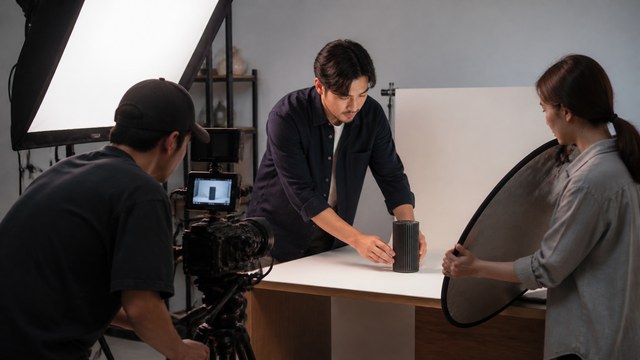
What May Need to Be Replaced Instead of Fixed?
Some problems are more efficient to replace.
Severe Visual Artifacts
Unstable faces, hands, products, reflections, geometry, or object interactions may not have enough correct information to repair convincingly. A new generation, stock shot, product shot, crop, animation, or graphic treatment may be stronger.
Inconsistent People or Products
If the same character or product changes throughout the video, isolated color correction will not solve the continuity problem. The professional may establish better references and regenerate selected scenes, redesign the coverage, or use a different asset type.
Incorrect Software or Product Behavior
A generated approximation should not be used when the viewer needs the actual interface, device, workflow, feature, or result. Replace it with screen capture, approved product footage, photography, 3D, or accurate animation.
Baked-In Incorrect Text
Some text can be covered or replaced. Text that moves across complex surfaces, occupies most of the shot, or is integrated into the product may make a replacement asset more practical.
Low-Resolution or Heavily Compressed Exports
Upscaling and cleanup can help, but they cannot restore every detail that was never present. Original generated clips are much more useful than a single compressed social-media export.
Unknown Rights or Provenance
A technically usable asset may still need replacement if the team cannot confirm where it came from or whether it can be used commercially in the intended context.
A Script That Solves the Wrong Problem
When the message is unclear, inaccurate, or aimed at the wrong viewer, polishing the current timeline may protect a weak foundation. Rebuilding the script and scene plan can save money compared with repeatedly repairing the wrong video.
The Keep, Repair, Replace, or Rebuild Review
A professional review should produce an actionable map rather than a vague opinion.
| Decision | What it means | Examples |
|---|---|---|
| Keep | The asset is useful and meets the quality bar. | Strong generated establishing shot, approved voice line, real product capture, correct graphic. |
| Repair | The core material works and post-production can solve the problem. | Trim unstable frames, replace text, improve sound, crop, grade, composite, add graphics. |
| Replace | Another asset will communicate the scene more clearly or accurately. | New generation, stock, screen capture, product footage, animation, still with controlled motion. |
| Rebuild | The script, structure, or visual approach cannot support the goal. | New opening, revised argument, different presenter format, new scene plan. |
The review should also identify dependencies. For example, a new voice track may change timing; new timing may require additional shots; a vertical version may require alternate graphics.
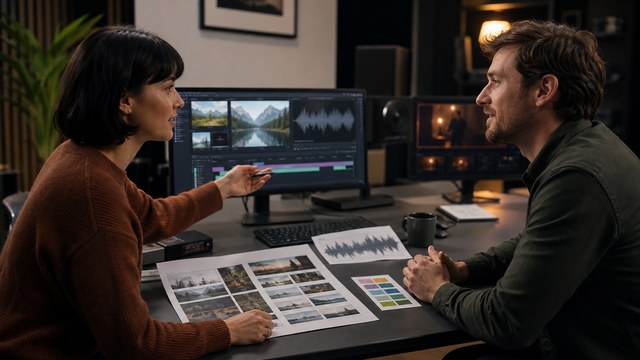
What Should I Send a Professional Video Editor?
Send as much of the source package as you have. Do not wait until it is perfectly organized.
Essential Context
- the business goal;
- the intended audience;
- where the video will be used;
- the required runtime and formats;
- the deadline;
- what feels wrong about the current version;
- what must remain unchanged;
- who needs to approve it.
Current Video Materials
- highest-quality exported draft;
- original generated video clips;
- generated images and reference frames;
- unused alternate generations;
- prompts, project settings, seeds, or references where available;
- editable project file and linked media;
- script and alternate script versions;
- voiceover files;
- music and sound files;
- captions or transcript.
Brand and Product Materials
- logo files;
- fonts and brand guidelines;
- product images, footage, 3D assets, or interface files;
- screen-recording access or safe demo account;
- approved terminology and product claims;
- examples of previous company videos;
- required legal, compliance, or disclosure language.
Rights Information
- tool or platform used for each generated asset;
- account or plan under which it was created;
- stock, music, font, voice, or other licenses;
- permissions for faces, voices, customer material, and supplied footage;
- any required disclosure or usage restrictions already identified.
The editor may not need every item to begin, but missing source files can affect what is possible and how much reconstruction is required.
Can a Professional Fix the Video Without the Project File?
Often, yes. A high-quality exported file can still be restructured, shortened, reframed, color-corrected, captioned, mixed, and combined with replacement shots and graphics.
Without the project file, some tasks become less flexible:
- removing baked-in music or voice;
- changing individual text layers;
- extending a shot hidden behind another layer;
- adjusting original transitions;
- delivering clean versions;
- creating major timing changes;
- preserving maximum image quality.
Send the export anyway. A professional can explain which improvements are practical from the available source.
Can a Professional Use My Original Prompts?
Yes. Prompts and references can reveal the intended subject, style, action, camera, and continuity rules. They may also make selected regenerations more efficient.
Prompts alone may not reproduce the original result because tools, models, settings, randomization, and platform versions can change. Save original output files and project references in addition to prompt text.
Should I Hire an AI Specialist or a Traditional Video Editor?
Look for the production skills the project needs.
An AI-generation specialist may be useful when the main problem is creating more consistent or complex generated assets.
A professional video editor may be useful when the main problem is story, pacing, graphics, sound, captions, color, or versions.
A motion designer or compositor may be needed for tracked graphics, text replacement, interface work, diagrams, cleanup, or integrating generated material with real assets.
A full production partner is useful when the project needs one team to manage the script, asset strategy, generation, real product or screen capture, editing, voice, sound, reviews, and delivery.
HiLo Media's proposed professional AI-video finishing offer is designed for this combined need.
How Much Does It Cost to Fix an AI Video?
The cost depends on the type of problem and the available source material.
Important factors include:
- current runtime;
- amount of usable material;
- whether the script needs rewriting;
- number of scenes that need new assets;
- generation or capture complexity;
- graphics and compositing requirements;
- voice and sound work;
- number of reviewers and revision rounds;
- required aspect ratios and versions;
- urgency;
- condition of the source files;
- rights or provenance cleanup.
A focused finish can cost less than a complete rebuild when the draft contains a sound concept and useful assets. The best estimate starts with the actual video, not a generic per-minute number.
Read How Much Does AI Video Really Cost? for the full budgeting framework.
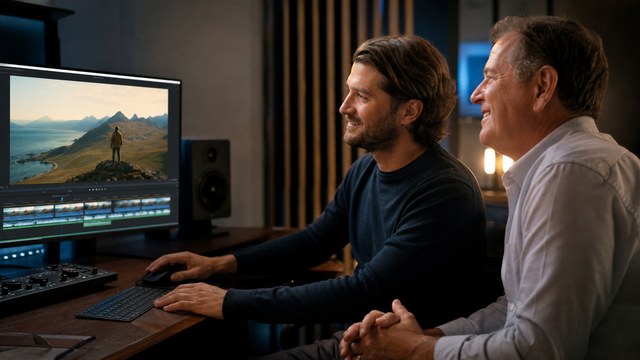
What a Professional Finishing Workflow Looks Like
1. Intake and Source Review
The professional reviews the draft, source package, goal, audience, channel, deadline, and required deliverables.
2. Triage and Recommendation
Each section is classified as keep, repair, replace, or rebuild. The recommendation explains what will change and why.
3. Scope and Approval
The client approves the targeted script, scene, voice, graphics, sound, version, and review scope before production begins.
4. Structural Edit
The story, timing, and best existing assets are assembled before expensive finishing or regeneration.
5. Replacement and Repair
Weak scenes are regenerated or replaced with stronger methods. Repairable material is cleaned, composited, reframed, retimed, or redesigned.
6. Voice, Graphics, Sound, and Brand Finish
The final voice, typography, motion, color, music, sound, captions, logo treatment, and calls to action are applied consistently.
7. Review and Delivery
Product, marketing, legal, leadership, or other stakeholders review the appropriate stage. Approved horizontal, square, vertical, captioned, clean, localized, or channel-specific versions are delivered.
Red Flags in a Video-Finishing Quote
Ask questions when a provider:
- recommends a full rebuild without reviewing the source materials;
- promises that every artifact can be repaired;
- does not ask where the assets came from;
- ignores product accuracy or brand guidelines;
- treats editing as only trimming and transitions;
- cannot explain how voice, sound, captions, and delivery versions are handled;
- does not define review rounds or source-file delivery;
- provides a low price without identifying what is excluded;
- assumes vertical and square versions are automatic crops;
- cannot describe who owns completion and quality control.
A strong estimate should connect the production tasks to the problems visible in the draft.
Send HiLo Media your idea, source material, or current AI-video draft for a practical recommendation based on what the project actually needs.
FAQ
Can an AI-generated video be professionally edited?
Yes. A professional can restructure the story, select better source material, replace weak shots, improve voice and sound, rebuild graphics, apply brand standards, add captions, and create final delivery versions.
Can AI video artifacts be removed?
Some can be hidden or improved through trimming, cropping, retiming, compositing, paint work, stabilization, graphics, color, or upscaling. Severe artifacts or incorrect actions are often better replaced with a new generation or a different production method.
Can a video editor fix inconsistent characters?
An editor can reduce the problem through shot selection, reframing, inserts, graphics, and replacement scenes. Significant character changes may require new reference development, regeneration, or redesigned coverage.
Do I need the original AI project files?
They are helpful but not always required. Send the highest-quality export and every original clip or image available. Prompts, references, voice files, script, brand assets, and the editing project can increase control and reduce reconstruction.
Can a professional replace only part of the video?
Yes. A targeted scope can preserve approved sections and focus on the opening, selected scenes, voice, graphics, sound, captions, or channel versions that prevent the current draft from being ready.
Will professional finishing make the video look completely non-AI?
No ethical provider should guarantee that every generated artifact can be hidden. The realistic goal is a coherent, accurate, intentional video. Material that cannot meet the quality bar should be replaced rather than disguised.
Can HiLo Media finish a product demo or software tutorial made with AI?
Yes. HiLo Media can combine usable generated material with accurate app demo footage, software screen capture, motion graphics, voiceover, sound, captions, and delivery versions.